Showing posts with label Telecommunications. Show all posts

'iPhone 4S' and iPad 3 Coming in Late October?

Macotakara reports that it has received information indicating that Apple will be introducing the iPad 3 and "iPhone 4S" sometime early next month, with availability set for "late October". The source offered no information, however, on plans for the iPhone 5, although rumors have suggested that Apple will introduce both a revamped iPhone 5 and tweaked iPhone 4 next month.


According to sources, iPhone 4S which is based on iPhone 4(CDMA) and new iPad will be started produce since 1st week in September and will be shipped in late October.


The "iPhone 4S" name is an unofficial one that has been used in a variety of reports to refer to a new iPhone based largely on and appearing nearly identical to the current iPhone 4, but offering upgraded internal components. What has come to be known as the iPhone 5 is a more thorough redesign which has surfaced in case designs reportedly based on leaked design specs. 


There had been some confusion about whether Apple would be releasing an "iPhone 4S" or "iPhone 5" this year, with some suggesting that the confusion stemmed from Apple testing iPhone 5 components within iPhone 4 enclosures for secrecy. But others have claimed that Apple will indeed be introducing both the iPhone 5 and a tweaked iPhone 4 as rumors of a low-cost iPhone have continued to swirl.

 Apple has of course traditionally kept its older models around as entry-level options, as evidenced Apple's continued sale of an 8 GB iPhone 3GS model, but the volume of rumors suggest that Apple may be doing a bit more tweaking to its low-end offerings this time around. Such low-cost models are said to be key for penetrating the prepaid markets prevalent in a number of large countries around the world.


Macotakara has offered some accurate information in the past, and notably was the first source to pinpoint some of the features of the iPad 2 as case designs began leaking out. A number of potential dates for a media event introducing the iPhone 5 and perhaps the iPad 3 have been suggested, with early reports of a September timeframe being countered early last week with a report from All Things Digital claiming that the device won't be available until October. The latest rumor has, however, claimed a September 7th media event, although an iPhone 5 introduction at that time to be followed with a launch as far off as late October would be outside Apple's usual gap between introduction and availability.

Apple iOS 4.3.5 Jailbreak: iPad, iPod Touch and iPhone 4.3.5 Jailbreak

Apple iOS 4.3.5 was released alongwith fixes for some previous Vulnerabilities in the new mobile operating system.


However, thanks to MuscluNerd, a iPhone Dev Team member, who confirmed on twitter that the new Apple iOS 4.3.5 Jailbreak is still a possibility on all devices like iPad, iPod Touch and iPhone (except the iPad 2) just by pointing the tool at the 4.3.4 IPSW:

Apple iOS 4.3.5 Jailbreak: iPad, iPod Touch and iPhone 4.3.5 Jailbreak

Warning: Those of you, who are relying on a carrier unlock must stay away from Redsn0w Jailbreak.

Since Apple patched comex’s exploit in Apple iOS 4.3.4, this will be a Tethered iOS 4.3.5 Jailbreak. It is still recommended to stick with iOS 4.3.3 for an Untethered Jailbreak.

How to Tethered iPad, iPod Touch and iPhone 4.3.5 Jailbreak

First of all select and downlaod the appropriate program applicable to your device from the given options:
Now please follow these step by step instructions given here under:
Step 1: Start Redsn0w Apple iOS 4.3.5 Jailbreak program, browse for the iOS 4.3.4 firmware file (NOT the 4.3.5) that you downloaded above and point it towards Redsn0w.

Step 2: Once Redsn0w is done with recognizing the firmware file, click Next. Then check the 'Install Cydia' box and leave other options as it is for now. Once done, click Next.

Step 3: Now just follow Redsn0w, it will ask you to shut down your device and plug it in to the computer. Once plugged with computer, follow the onscreen instructions and then click Next to continue.

Step 4: RedSn0w will now guide you on how to put your device in DFU mode. Follow the instructions carefully till your device get’s into DFU mode. Follow these simple steps to put your Device into DFU Mode:
  • First of all,Press and Hold the sleep button for 2 seconds.
  • While holding the sleepbutton,Press the Home button for 10 seconds.
  • Now release the sleep button but continue Holding the home button for about 15 seconds.
Step 5: One in DFU mode your iPhone will restart, Now, just wait while Redsn0w gets installed and jailbreaks your device. Once finished your iPhone, iPad or iPod touch will restart automatically.

Troubleshooting:
Any Windows users seeing 'Waiting for reboot' for too long (more than 20 seconds or so), please try 'shaking' the JB process by unplugging then replugging your USB cable (while letting redsn0w continue to run). Also, try using a USB port 'closer' to your computer (as opposed to on your monitor or behind another hub).


Apple iOS 4.3.5 Jailbreak on iPad, iPod Touch and iPhone 4/3Gs
Here is a video tutorial for Apple iOS 4.3.5 Jailbreak on iPad, iPod Touch 4/3Gs for iPhone 4.3.5 Jailbreak using RedSn0w 0.9.8b:

iPhone 5 and ‘simplified iPhone 4′ both due out this fall, report claims


After several reports pointing to a lower-end iPhone set to be released this fall, a new source is now suggesting that along with the iPhone 5 we’ll see a “simplified iPhone 4”, as reported by the Chinese language website Sohu.com.

According to the report, Apple has reached an agreement with China Telecom, China’s state-owned mobile carrier, to bring two devices to the country: the iPhone 5 and a lower-end iPhone, allegedly similar to the iPhone 4, around “the end of October”. As claimed by the source, and as speculated by us many times, the lower-end iPhone model will be cheaper and most likely targeted at developing and emerging markets, such as China:

a more economical version of iPhone to target a broader customer base in developing countries such as China, allowing for an expanded market opportunity.

Apple’s current solution to make the iPhone available to a greater number of customers is to simply sell the previous-generation device for a lower price. While the iPhone 4 has been available for a year, Apple keeps manufacturing the nearly two-year-old iPhone 3GS and selling it for $99 instead of its original price of $199, but now the supply of the iPhone 3GS is dwindling drastically. This approach has its obvious shortcomings, including the device’s aging hardware that developers and Apple itself will be forced to support as long as the device is sold.

The lower-end iPhone will reportedly be similar to the iPhone 4, which has been for sale for over a year, although we don’t yet know much about its hardware or software. According to previous reports on the matter, however, we would guess that this low-end smartphone will be an iPhone 4 with improved internals and perhaps slightly cheaper plastic casing, as opposed to the iPhone 4’s glass enclosure, in order to reduce manufacturing costs, and therefore the price.

This report also, once again, sparks up the debate over whether the next iPhone will be released in September or October, since the source points to an October release, at least in China. I believe, as we have speculated previously, that the US release will take place sometime in September with an international release in October, since the iPhone 5 has allegedly reached final testing stages. The iPhone 5 is expected to be announced by Apple at the company’s traditional music and iPod event in September and released a few weeks later.

(via BGR)

Free Samsung Nexus S: Today Offer from Best Buy Mobile


What about a "Free Samsung Nexus S"? Well, we are not kidding, infact its Today Offer from Best Buy Mobile, that is offering the Nexus S for free today only.

The catch is you need a two-year contract with Sprint, T-Mobile, or AT&T to get it. The unlocked model will still be full price.

All variants (3G version on T-Mobile or AT&T / 4G version on Sprint) will be free when you sign up for a new contract by either setting up a new line or upgrading a current handset.


While this device may not have dual-core this and that, it’s still one of the fastest and most stable devices you’ll ever use. As a “Nexus” device, you won’t find another handset in the world with this pure of an Android experience. The Nexus S is one of our favorite Android phones out there, offering a clean version of Gingerbread, and first dibs on software updates from Google.

The offer ends at 11:59 p.m. tonight, so get at it. Here under is the Press Release by Best Buy Mobile about Today Offer:

One-Day Exclusive Offer: Best Buy Mobile Offers All Versions of Nexus S from Google for Free on Aug 3

Available on AT&T, Sprint and T Mobile at Best Buy, Best Buy Mobile specialty stores and online. Offer runs from Aug. 2 at 11 p.m. CST to Aug. 3 at 11:59 p.m. CST
MINNEAPOLIS, August 2, 2011 – Best Buy Mobile today revealed an exclusive one-day sale on Nexus S from Google phones valid on all carriers who support the device - AT&T, Sprint and T-Mobile. Customers can receive a free Nexus S phone, either as a new phone or an upgrade purchase, with two-year activation at all Best Buy, Best Buy Mobile specialty stores, and online at BestBuy.com/Mobile.
Nexus S is a pure Google experience phone and runs Android 2.3, Gingerbread, the fastest version of Android available, and will be offered free starting tonight at 11:00 p.m. CST, through  Aug. 3, at 11:59 p.m. CT.
In addition to the most smartphones under one roof, including all three versions of Nexus S, Best Buy Mobile offers an array of services aimed at improving customers’ experience, including Walk Out Working, Upgrade Checker, Happy 24 and a full array of accessories for customers to protect and personalize their device.

About Best Buy Mobile
Best Buy Mobile was founded in 2006 with a goal of changing the way consumers shop for and purchase mobile phones in America. Today, Best Buy Mobile is in every Best Buy store and also has 206 Best Buy Mobile specialty stores around the country. Best Buy Mobile features one of the largest selections of carriers, handsets and accessories available anywhere. Employees undergo at least 80 hours of intensive training, as well as continuing education on mobile phone technology and trends to help customers get the most of their mobile phones. For more information about Best Buy Mobile, visit www.bestbuy.com/mobile or www.bestbuymobile.com

About Best Buy
Best Buy Co., Inc. (NYSE: BBY) is a leading multi-channel global retailer and developer of technology products and services. Every day our employees – 180,000 strong – are committed to helping deliver the technology solutions that enable easy access to people, knowledge, ideas and fun. We are keenly aware of our role and impact on the world, and we are committed to developing and implementing business strategies that bring sustainable technology solutions to our consumers and communities. For information about Best Buy, visit www.bby.com

Explosion of Mobile Gaming


Geekaphone, an online resource for the mobile industry, has revealed stats about mobile gaming industry. They have been researching the mobile gaming industry and revealed figures for 2011.
A few key points that stand out are:
  • The mobile gaming industry is predicted to reach $54 Billion by 2015
  • 84% of tablet owners play games
  • 70 – 80% of all mobile downloads are games
  • Android is soon to overtake Apple in number of total available apps
  • In-game purchases should overtake pay-per-downloads by 2013
  • Angry Birds has been downloaded 140 million times
  • Developers made $87 million in ad revenue in 2010 and will grow 10 fold by 2015
Infographic Mobile Gaming Statistics Mobile Gaming Industry Statistics for 2011 [Inforgraphic]

iCloud and iWork Beta Launched For Developers


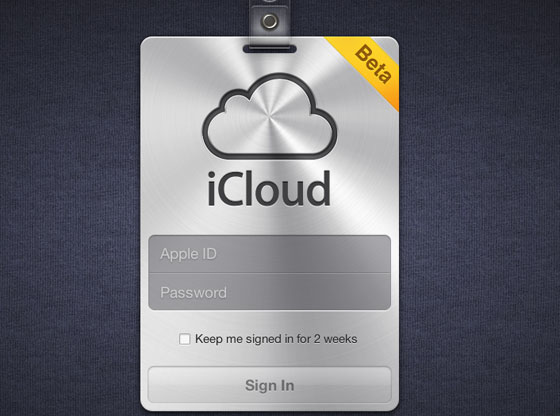
Apple seems to have opened up the iCloud Beta on iCloud.com. Notably, the login page is nearly identical to a leak from the days before the original iCloud announcement. We were doubtful of the screen at the time, but it appears to have been legitimate. 

There's some mixed reports about people being able to login. We have reports of both developers and non-developers having success and trouble logging in. 


iWork Beta with iCloud support was also seeded to developers: 

White Samsung Galaxy S2: Release Date, Specs and Price

The white version of best selling Samsung Galaxy S2 has been hinted for a September 2011 release in the UK. White Samsung Galaxy S2, functionally identical to the existing black Galaxy S2, which hit the market 85 days ago, and has already racked up 5 million sales record with Samsung. The new White Samsung Galaxy S2 model means another 5 million units sale, which seems to be a very smart move on the foot print of Apple.

White Samsung Galaxy S2 Features and Specs

It does appear that white is the only difference from the black version with no change to specs. The White Samsung Galaxy S2, like its Samsung Galaxy S2 black version, is Worlds Thinnest Smartphone, loaded with Android mobile operating system. The Samsung Galaxy S2 is the successor to the critically acclaimed Samsung Galaxy S, featuring:
  • 1.2 GHz Dual-Core SoC Processor
  • Samsung Exynos Processor (GT-I9100 model) or Nvidia Tegra 2 Processor (GT-I9103 model)
  • 1GB RAM
  • 10.9 Centimetre (4.3 inches) WVGA Super AMOLED Plus Display
  • 8 Megapixel LED Flash Camera with HD 1080p videos recording
  • USB Host (OTG) Function Support
  • Upgraded version of Android, officially known as TouchWiz 4.0
  • Enhanced Accessibility with Multi Touch Gestures and Clean Widget Arrangements
  • It also supports Mobile High-definition Link (MHL), which allows up to 1080p uncompressed video output with HDMI while charging the device at the same time.

White Samsung Galaxy S2 Release Date

The incoming White Samsung Galaxy S2 variant was first previewed by a UK retailer earlier in the week, though the original product page suggested an August 15 launch and has since been taken down.

Since, Samsung Galaxy S2 is going to be released for sale in the US, in August 2011 through Verizon. Its white version, Samsung White Galaxy S2 Release Date is expected to be somewhere in late September or October 2011.

White Samsung Galaxy S2 Price

Right now it appears one can only pick White Samsung Galaxy S2 at full retail price, between £410 and £500 ($669 to $800 USD) depending on ones country.

White Samsung Galaxy S2 Price is listed at for an unlocked, SIM-free model, though Samsung UK tells us that the white version will be made available through carriers as well, so iTechWhiz expect some easy cheap subsidized deals and offers.

Mastering Voice Recognition On Your iPhone, Android, or Desktop


Nobody talks on the phone anymore, but people are talking at their phones. On any platform, check your settings and helper guides to get an understanding of what your app or phone can actually do, as completely misunderstood responses from a speech app can be pretty infuriating. Android phones with Google's Voice Search installed, for example, can make a phone call, compose email, send a text message, get directions, and pull up musical artists-but can't launch applications from vocal commands. This isn't so much an issue on iPhones, but Androids and other phones can have pinhole-style microphones that can get gummed up or partially covered by awkward cases. Intermediate: Stop Slowing Down, But Think Before Speaking You need not talk like a robot to be understood by one, says Vlad Sejnoha, chief technical officer at Nuance, maker of the Dragon speech-to-text software for Windows, Macs, iPhones and iPads.


Dragon's software learns speech styles and tics over time, and you want to aim for a natural speaking flow. Digging around Android forums and elsewhere, I found a good number of tesimonies from speech-to-text enthusiasts who saw better results from simply speaking at a normal clip. Google representative Nadja Blagojevic offered much the same advice for the search giant's voice product in both Android and its Chrome browser: Speak naturally and clearly, but don't strain to enunciate too much or speak slowly. Advanced Dictation: Punctuation and Personalization Another embarrassing thing you can stop doing is holding your phone or desktop microphone directly in front of your mouth. In your Mac's System Preferences, there's a whole range of Speech options, sure; but check in the Input section of the Sound options, and you'll find a check box to Use ambient noise reduction, which Google's Blagojevic recommends for using the Chrome browser's speech function.

The best noise cancellation tools put in cars and hearing aids use multiple microphones to pinpoint the speaker and amplify their Input, but your phone isn't quite as refined an audio tool. Punctuation is no different than words, as Dragon, Google, and most good voice recognition software will train itself to how you say "period," "comma," or even "smiley." Just be sure to actually go back and fix bad Punctuation, as that's often how the software learns. Finally, if you're using an Android phone, be sure that you've enabled Personalized Voice Recognition. It benefits your speech-to-text on Android, in your browser, and, ultimately, your self-driving car.

Google+ vs Facebook (Privacy)


Of all the comparisons between the two, how the privacy differences between Google+ and Facebook stack up might end up being the most important.
If there’s anything Google+ can learn from Facebook’s experience, it’s that people are going to pay attention to its privacy policy. The Internet veteran has had its own user data battles to fight (particular overseas relating to its street view cam cars), but nothing quite gets consumers in an uproar like a social network’s privacy settings. While Google+ is still in its early days and things are likely subject to change, here’s an introductory look at how it sizes up against Facebook when it comes to guarding your information.

Readability

Digesting a website’s terms of service is one of the most mind-numbing, time-consuming activities imaginable – which is why most users don’t do it. Of course the same people who fail to go over the legalese are usually the ones most offended, but that doesn’t entirely mean the blame falls to them. When this portion of a site sounds like an instruction manual and falls above the eighth grade reading level, you’re asking for outrage. That might sound as if we’re advocating for dumbing things down, but sometimes and especially when it comes to user information that such a mass amount of the population uses, you should pander to the lowest common denominator.
This year Facebook tried to do just that by cutting down on the sophistication of how its privacy policy reads. Its new “controlling how you share” section simply and relatively briefly explains the basics of information sharing on the site. But that’s hardly where it ends. The amount of “learn more” links is overwhelming, and when you access the site’s actual privacy policy, there is a mountain of information. Also, we can understand how so many different URLs that pertain to Facebook privacy could be confusing, especially for younger users, of which there are many. The idea of including the new, simpler guide is full of good intentions, but it could also lead to confusion and may keep people away from perusing the entire privacy policy, which is always a wise choice to make.
Google+’s infancy actually helps it here. As far as readability goes, seeing as there aren’t any advertisers or applications for the site (yet), it doesn’t have quite as much to explain when it comes to sharing your information. And instead of a variety of places dissecting its policy, you have two main locations: The designated Google+ privacy page, and the official Google privacy policy. But if you want details, you can check out the +1 button, Picasa, and Google’s mobile privacy policies. And of course if you start getting into what Google+ may be broadcasting from your other Google accounts, you could potentially have a lot to wade through.
Winner: Draw – Google+ may have less to initially muddle through by itself, but diving into the Google privacy dashboard can lead to hours of staring at your screen. Google+ wins for its attempt at approachability, Facebook for laying all the cards on the table, even though all those cards might be confusing.

Customization

see howBoth Facebook and Google+ provide a way for you to see how other users view your profile and customize who sees what. The difference between the two really comes in with when and how they do this. Google+’s priority while you’re creating your profile revolves around showing you what you share and goes for opt-in versus opt-out. Circles are a major part of managing this and are one of the things you’re sent to again and again (i.e., every time you add a new person, you are prompted to determine in what category they belong; every time you post something you indicate who all will see it).
Facebook has a similar customization tool, but you are never sent to it. When you decide to limit access to something on your profile, you go there on your own – Facebook will never prompt you to visit your privacy settings. Once you’re there, of course, the experience is generally intuitive. But with so many people skimming privacy policies and only reacting after the fact, we think Google’s agenda by trying to bring who sees what to the surface is the better approach.
Winner: Google+

Tags

approve tagsFacebook tags are the one of the best and worst elements of the site. You can choose to make photos you’re tagged in visible to only some people, but the effort involved in this means most people would rather choose one of the prescribed settings, like “everyone” or “friends only.”
Google+ has the option to choose people who can automatically tag you and whether they can attach the location. You will need to change this, however, as the default lets people do it automatically, but including the option is a big bonus and something Facebook users have been asking for. Unfortunately, we’re not in love with Google+’s wording, which doesn’t precisely indicate you are asking for authentication rights for tagged photos. Considering the fact the tagged photos can be one of the most damning things out there, it’s a big step in the right direction that Google+ has this feature at all, and we advise using it.
Winner: Google+

Photos

We recently wrote about how much we love Google+’s take on photo albums. While that’s still true, its policy when it comes to your images deserves mention. Photofocus points out that part of its terms more or less say that when you share photos, “you give Google a perpetual, irrevocable, worldwide, royalty-free, and non-exclusive license to reproduce, adapt, modify, translate, publish, publicly display and distribute” them. Of course Google’s TOS also say “you retain copyright and any other rights you already hold in Content which you submit, post, or display on or though, the Services.” But if you’re a professional of any sort, you’re right to be a little wary when it comes to throwing your images up on Google+.
Facebook has the same sort of wording regarding intellectual property rights, but points out that this depends on your privacy and application settings. Meaning set photo sharing to “everyone,” and you’re giving up a lot of content. If you have a specific album you don’t want at the hands of anybody out there, you should make sure to clarify that in your settings. You can designate how people see your Google+ albums but it doesn’t say in Google+’s terms that Google itself will adhere to this, which Facebook specifically points out it is also subject to your privacy settings for photos.
Winner: Facebook

Circle vs. Lists

When you share something via Facebook, you’re likely sharing it with a lot of people. Even if you use the customization settings to the hilt, a post is rarely sent out to a handful of people. Part of this is because Facebook’s been around for awhile and users have accrued hefty Friends lists. Part of it is because customizing those types of features came later in the process. Google+ was able to learn from this and sharing anything on its network requires you to dictate who will see it then and there.
Facebook Lists helps you create specific groups, and then you can choose what your friends do and don’t see. The problem is that you aren’t reminded who you’re sharing something with, you need to think about it yourself. And when you do want to customize who sees a post, the lock icon doesn’t bring up the lists you’ve so carefully created automatically. Creating Circles is also much easier and its visual appeal definitely outdoes Facebook’s text-heavy interface.
circles vs lists
Winner: Google+
Source: Digitaltrends

Mac Os X Lion The Major NEW Features you need to know

The world has changed greatly for Apple in the past few years. As of their earnings statement released Monday, three quarters of all income comes from the iPhone and iPad and the number of users of iOS is already at least four times that of Mac users. After the under-the-hood tweaks and rationalizations of previous operating system update Snow Leopard, the mission for Mac OS X Lion was clear - make the Mac OS comfortable and familiar to the new Apple mobile user audience without putting off established Mac veterans. Can they pull it off?

Installation

So how do you install? You hop on a bus to the Apple Store, buy the Lion upgrade box, get home, take out the enclosed discs and... No you don't. Never again. You log in to the Mac App Store, pay your US$29 and start downloading. Some hours later (it's a 3.74 GB download) you have an 'Install Mac OSX Lion' application in your Applications folder and on the Dock. Apple is pretty laid back about what you do with that installer and you can copy it to any qualifying machines in your household. As per usual there is no serial number or DRM of any kind.
There are some interesting processes going when you double-click on the installer - Apple is creating an invisible partition on your main disk on the fly, installing a clean backup copy of Lion in that partition and then installing your new system Lion from there. It will migrate over all your applications and settings as in previous upgrades but will leave behind any applications that aren't compatible - which basically means apps that rely on Rosetta, Apple's PowerPC translator. From our experience and the reports coming in, the process seems to be robust and free from problems at this time.
The usual warnings apply however. This is the 'point-oh' release and there are bound to be glitches somewhere. Do not install on a 'mission critical' machine for the moment and in particular do not install on your music studio machine because, as seems to be the case with every single upgrade, third-party audio workstation plug-ins are breaking under Lion. Adobe has also reported that there are some issues with pretty well all of their applications including, surprise, surprise, Flash.

Scrolling/Gestures

The iOS influence from the iPhone/iPad family hits you in the face, or at least in the fingers, from the get-go. Lion scrolls the other way. That's right - if you have a mouse with a scroll wheel, a touch pad or indeed the Apple touch-sensitive Magic Mouse, pages on your screen will now scroll in the opposite direction. How you feel about this depends very much on how used to using the iPhone or iPad you are. Like those devices, you are now grabbing the page itself and moving it up and down, rather than the window on the page. Shock two - no scrollbars - or rather scroll bars that only pop into existence when active or when you roll over the edge of the page. When a new window is opened that has hidden scrollable content the bars pop into existence just to let you know and then fade away into the background.
Apple insists that within a few days you will be fully comfortable with this new behavior and won't want to go back. We tend to agree with them. However in the Lion System Preferences you have great control over these aspects of the interface plus the host of new tapping and swiping gestures that are now available and its possible to revert completely to the behavior of the good-old-days (two days ago).

Launchpad

Many inexperienced Mac users apparently have problems finding their applications and if they are not permanently in the Dock will forget where they are. Launchpad is an attempt to mitigate this and is a straight copy of the home screen from iOS. Launched from the Dock or via a hot-key Launchpad displays on screen every launchable app in the applications folder. Just like on iOS you can arrange your apps and pull them together to create folders that can be named. You can also delete apps that you bought in the App Store.
Just like on iOS it actually becomes quite a chore re-arranging your apps into a logical system if you have built up a reasonable collection. If you are a Mac veteran it becomes impossible since your applications folder will be full of all sorts of big apps, little apps, Applescript droplets and various bit and bobs that you just know you will use one day. Launchpad is one of those Apple things that works great for a new user for a couple of months and then is never seen again.

Full Screen

One of the surprising pleasures of the iPad is the fact that applications are always fullscreen. The device becomes the software and vice versa. Lion now brings this capability to the Mac for developers who wish to use the appropriate programming hooks. Most of the Apple apps now have this capability (check your updates) and it works great in apps like iPhoto, Garageband and the new Mail program - i.e. apps that already use a single multi-paned window. It makes little sense for apps that use multiple windows or where the content simply doesn't need the full width of the screen (looking at you Safari). On multiple monitors it only uses one screen and the others are left blank (or at least just showing the new ubiquitous grey linen background texture). It would be nice to see this developed a bit to allow an app per screen for example. The mode is invoked simply by clicking an icon on the top right of the window. In full screen mode mousing to the top of the screen will roll down the menu bar and it can exited from there.

Auto Save/Versions/Resume

Have you ever lost work on your computer? Of course you have. Everybody has. After years and years of being told to keep backups and to keep hitting save while we work, stuff still gets lost or written over by a file we didn't mean to save, or by logging out and not saving open documents. Apple aims to make this a thing of the past by autosaving the changes to every document and then allowing you to browse back in time the different versions of that document, very much in the manner of the now-familiar Time Machine interface.
If the software developer decides to use Apple's updated document model (and they would be crazy not to) the user will never again have to think about saving a document. In addition, when you quit an application the placement and content of all open windows is stored (including where the cursor was and any selections) and then re-stored when the app is launched the next time. In fact, after shutting down, the computer will restart with all open documents and applications as they were before. Very cool.
If this whole idea make you nervous you can still manually save a new version, create a duplicate or chose to lock a document. One suspects however that this new facility will be seen as a significant turning point in document management - once every developer has embraced it of course.

Mission Control

Mission Control is one of the few new headline features in Lion that doesn't seem directly influenced by its mobile iOS brother. Its purpose is to simplify and bring together Exposé, Spaces and Dashboard functionality since many people are apparently still not using these useful screen management functions.
Invoking Mission Control (via the Dock, a Hot Key or touch panel gesture) makes the present desktop recede a little and get overlaid by a row of virtual Spaces desktops - including any full-screen apps and a separate Dashboard Widgets desktop - plus representations of all document windows in use together with icons of their parent application. From here you can quickly get to any window or virtual desktop. You can also drag windows into different desktops and create new ones. It's quicker and more easily understood than the previous arrangements so hopefully more users will be using it to zip between their open documents.

Mail

One application that most people spend a great deal of time in is Mail and it's received a lot of love from Apple in this update with a brand new layout. Messages are at long last to the right of the message list and not below. This makes so much more sense on widescreen monitors. The message list can show a preview of the message (up to five lines) and you can optionally show a sender's thumbnail image if they are in your Address Book file. The default viewing of messages is in a 'conversation' mode where every related message is shown and numbered making it very easy to follow an email thread. This mode also automatically hides all the redundant quoting though you can reveal it if really necessary (with a fun animation).
The familiar mailbox and folder sidebar is available but you can drag any of the item therein to a toolbar above the message window and close the sidebar to increase real-estate. There are a number of often-used commands in that toolbar plus text formatting controls when in email composing mode. Search has been greatly improved using Spotlight's new functionality with search items being quickly auto-suggested. Plus, after one search term has been defined, auto-suggestions for a second term come up making it much quicker to drill down to the message you are searching for. It's easier to use than describe and feels really slick. Fun feature - email flags can now be one of seven colors, not just red. The new Mail is a great improvement.

iCal/Address Book

The iCal and Address Book applications have also received attention in Lion but unfortunately this is one area where the iOS influence is unwelcome. Apple has maintained a deeply skeuomorphic design for both that is perfectly logical in the context of the iPhone/iPad but makes no sense at all on the non-touch vastness of a desktop monitor. They both work as expected with some additional features but the leather, cloth and torn paper appearance is taken to silly levels.
It would be nice if one day Apple provided us with the more powerful general purpose database and time-management tools that Address Book and iCal could become. Unfortunately it seems we are stuck with them as 'apps'. Address Book now has fields for Twitter and 'Profiles' (Facebook, LinkedIn etc.) and iCal does have the nice new feature of a yearly view where your busiest days are represented as red or amber 'hot spots' and your free days in white. Nice touch.

AirDrop

AirDrop is potentially a very useful little feature in a busy office environment. Click on the AirDrop folder in the Finder sidebar and every nearby Mac with Wi-Fi on will pop up. They don't even need to be on the same network. You drag a file onto the Mac you want to send it to and a dialogue asking for permission to receive it pops up on their desktop. Genius.

Security

Something that won't get a lot of press but has clearly been a priority for Apple is the greatly improved security of the operating system to protect against crashing and the malicious hacking of data. the 'sandboxing' (separation of the privileges of each process so that it cannot not be coerced into something else and crash the app) of the System itself has been going on since Leopard. Now it is available for use by developers and will in the future be mandatory for applications to be sold in the Mac App Store. FileVault now encrypts at high speed at the disc level rather than file level and can encrypt whole Time Machine back-ups which is a great improvement. Don't lose that password.
Every Mac OS upgrade has its quirks and caveats but Lion 10.7 feels like it has moved the game along significantly. As always, it will take the developers time to fully embrace the new technologies available to them (er, Adobe?) but Apple has made great efforts with its own apps to show what is possible. It's only US$29 and a million people have already downloaded it in its one day since release. Now bring on iOS5 and iCloud so we can close this circle.
Source: Gizmag